
Cashier Quickstart
This page will guide you through your first steps working as a Cashier on Kasway
Gain access to the Cashier Panel
You must be granted access to the Cashier Panel before you can start selling products. Please contact your Team Leader or Business Owner to request access.
WARNING
Kasway DOES NOT support direct user registration — anyone instructing you to sign up independently is guaranteed to be a scam.
You also don't need to connect any wallet to work as a cashier.
Get into the Team Login page
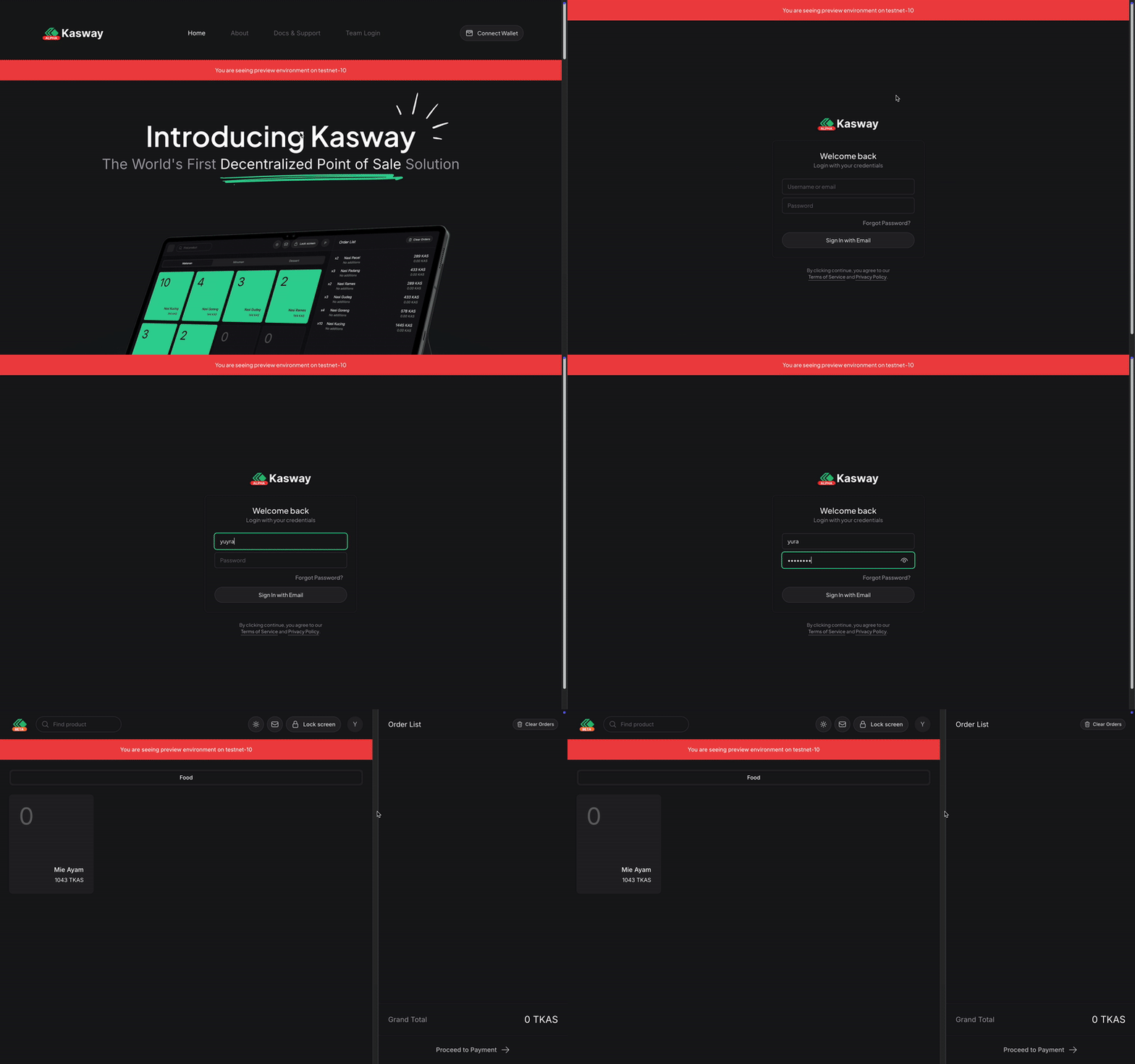
On the landing page, click on the "Team Login" menu at the top of the screen. It will show a form for you to login. Use the credentials you get from your Team Leader or Business Owner.
Begin selling your product
Once you're in, you can begin selling your product.
On the desktop view, the left panel is where all the menus and categories are placed. And the right panel is where the ordered items are listed, below that, is a proceed to payment button use this if the customer has finalized their order and prompt the customer to pay.
On mobile view, the ordered items will show once you tap the "Proceed to payment" button. That button will appear when there is at least one ordered item on the list.
Our cashier panel are designed to be touch-friendly, meaning that the most of the operation can be done simply by using touch-gestures.
INFO
Right now, only direct-payment supported. Your customer must pay directly after making an order. Pay-later and book mechanism are under development.
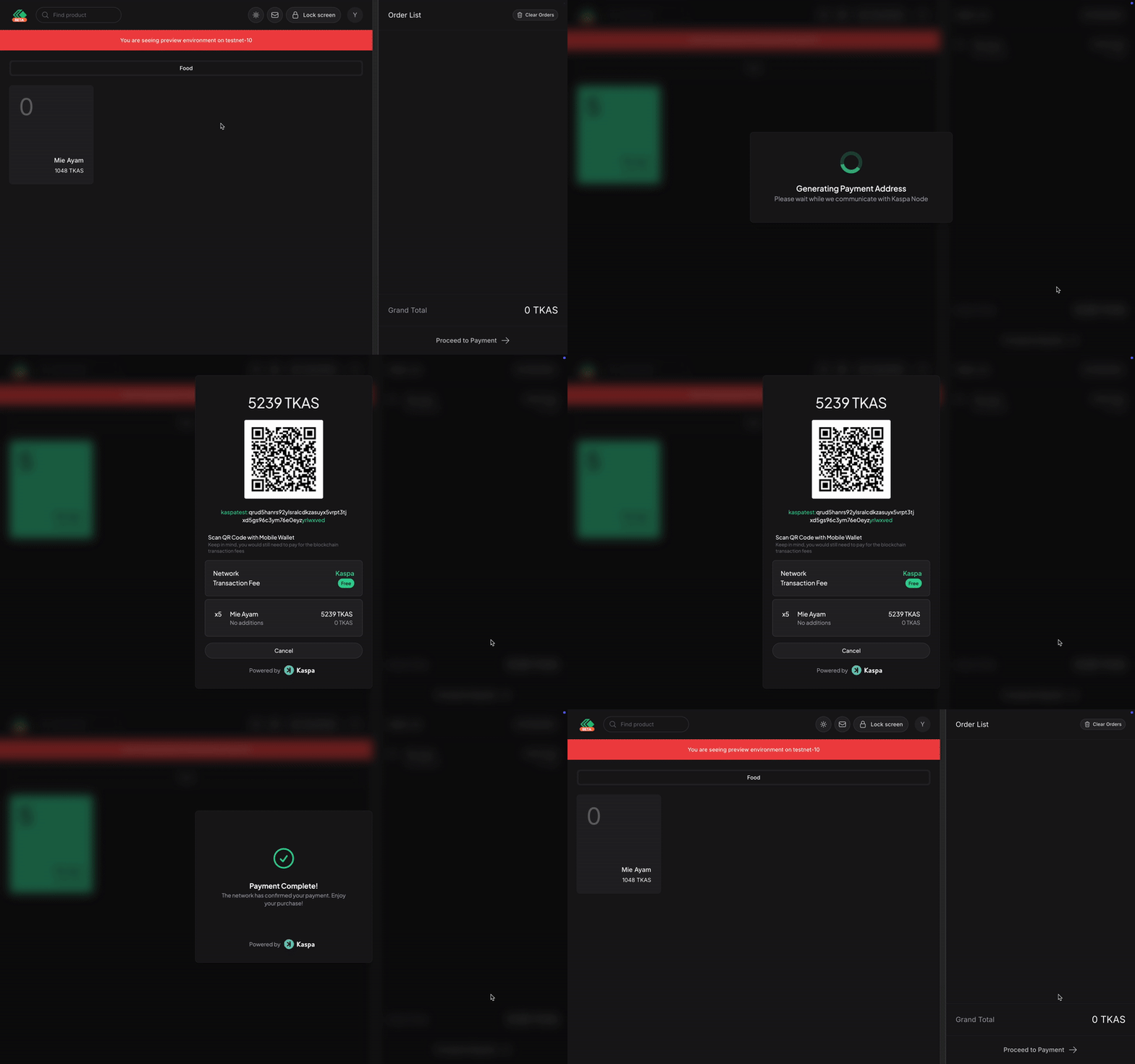
That is all!
That's all you need to do; the rest is pure magic.