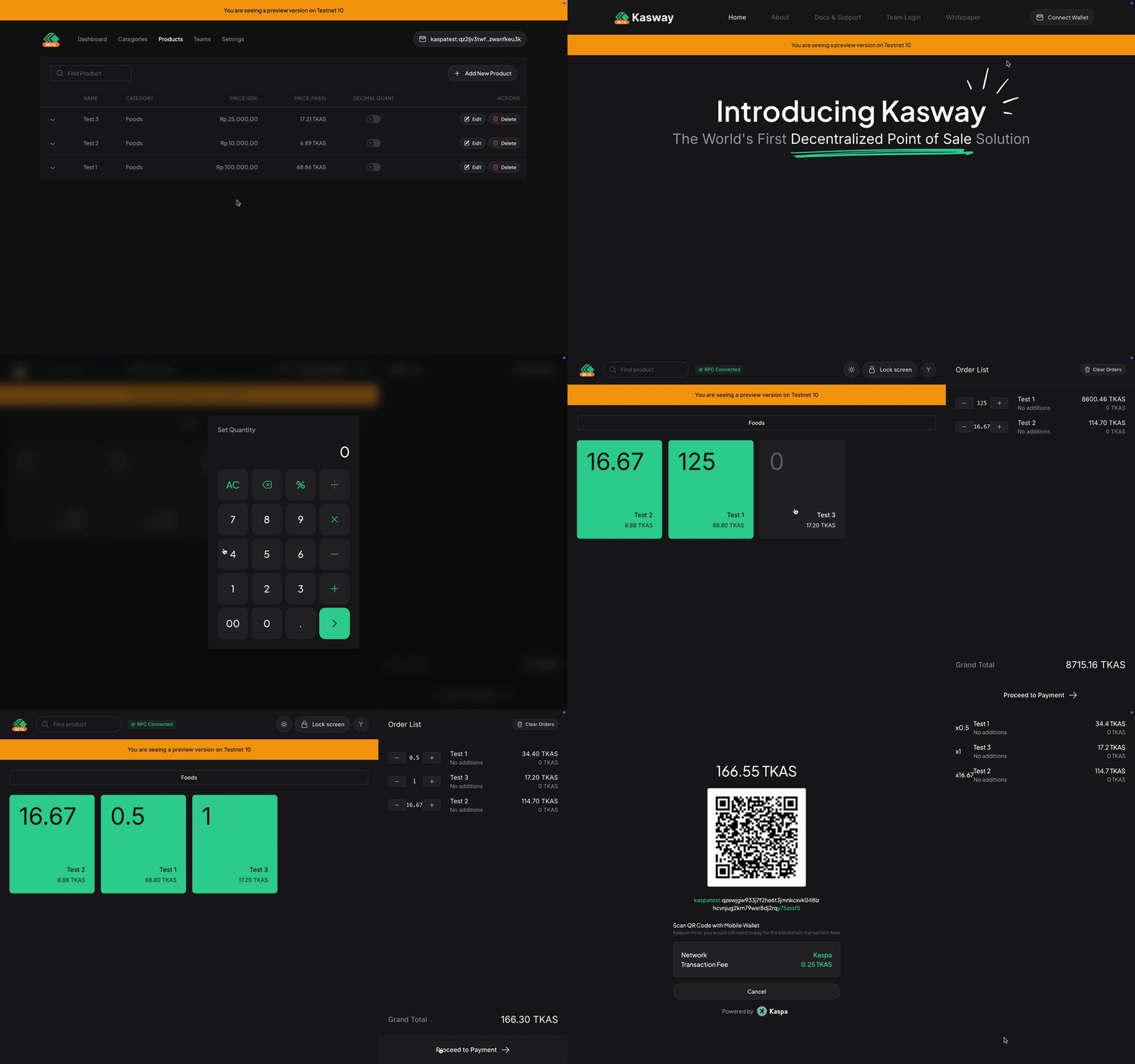
Decimal Quant
Get to know what it is and how to use it.
WARNING
This feature is disabled by default. You must enable it manually through the Merchant dashboard.
Decimal Quant allows you to modify the app's behavior to accept decimal quantity instead of being restricted to a round values. This is useful when your business sold items by weight, instead of pieces.
Imagine your business is a grocery store, and you sell items like carrots, tomatoes, potatoes, etc. People often buy your items based on its weight, instead of explicitly saying its quantity.
For example: A half kilograms potatoes, please!
Instead of: 12 potatoes, please!
This feature helps you set the quantity manually based on what they are asking.
When cashier taps on the Decimal Quant enabled items, it pops up a calculator to even help them do the math. Making your employee's life even more easier.
To get started, simply follow this gif