Retry Payment
Learn how to retrieve your payment that is stuck inside the Program Derived Address (PDA) using our Retry Payment feature
WARNING
This guide only applies for transactions where the status is either Received, Confirmed or Error.
This feature allows you to re-execute the payment logic using the funds that are stuck inside the Program Derived Address (PDA) account. For this feature to work and visible to you, the status of the transaction must be either on Received, Confirmed or Error state.
Kasway's Program Derived Address (PDA) lives in the blockchain, meaning that this address are ephemeral until the payment explicitly marked Finished by the system. This behavior allows you to get your funds at any time as long as you have access to the connected wallet.
There are two way to use this feature:
- By logging in as Wallet via the Connect Wallet button
- By asking your Team Leader to perform this operation
Either way shares the same procedure to perform the operation. The only difference is that when asking your Team Leader, they do not need to connect any wallet as they can simply login using their credentials you set in the beginning.
This guide assume that you are acting as the business owner and already have access to the dashboard:
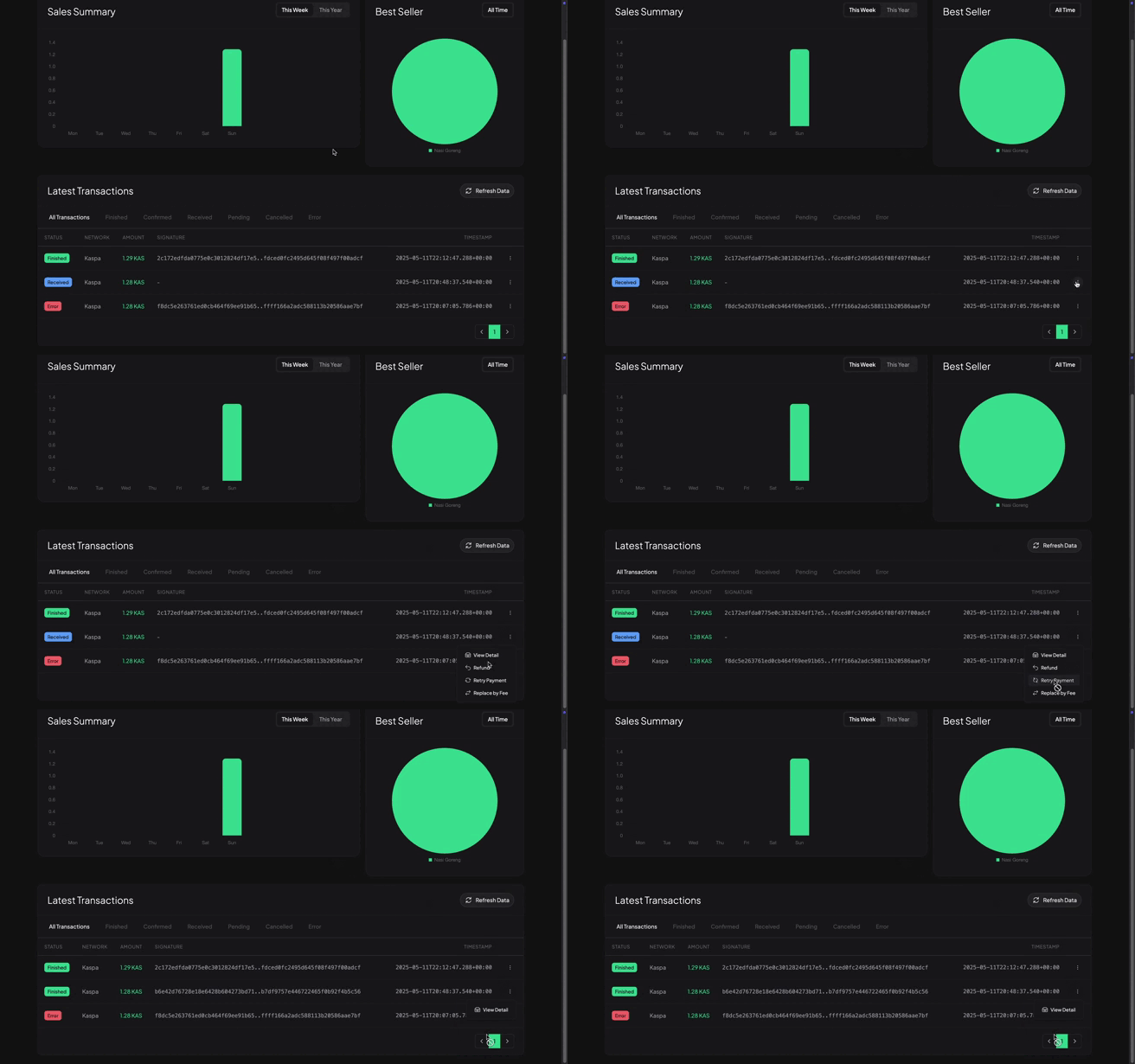
1. Go to Dashboard Main Panel
In the dashboard main panel, scroll down until you see the Latest Transactions table.
2. Use the status filter
Click on the Received or Confirmed or Error status on the filter bar, above the table.
3. Click the vertical triple dots icon
This button appears on the right of the table, you may need to scroll or swipe the table if you are using smaller devices.
4. Click on the Retry Payment option
Once clicked, the button will be disabled to ensure the operation finished before attempting to perform another retry payment.